

A smart plug to turn the TV off at bedtime can work well, and so can turning off the Wi-Fi at night. Both are cheap, and plenty of parents swear by them. But each one has gaps, and children are good at finding them. This guide explains how each hack works and where it falls short, so you can pick what suits your family.
We have not tested these ourselves. What follows is how each one works in principle, plus what parents and published write-ups say about them. We do not recommend any particular plug or router brand.
Why parents reach for hacks
If you have searched for a smart plug to turn the TV off at bedtime, or for how to turn off the Wi-Fi at night for kids, you are not alone. On forums such as Mumsnet, turning the Wi-Fi off at a set time, such as midnight, is the most common fix parents mention. A scheduled smart plug is the other popular one. One parent in a published write-up said it made bedtime "generally drama-free".
It makes sense. Surveys suggest 70% of parents have conflict over screen time at least weekly (ConsumerAffairs), and parents give in about 65% of the time when a child resists switching off (Talker Research). A hack that works on its own, without a row, is very appealing.
The hacks, side by side
| Hack | How it works | Pros | Where it falls short |
|---|---|---|---|
| Smart plug | Cuts power to the TV at a set time | Cheap; works on any TV; automatic | Blunt, no warning; child can often switch the plug or TV back on; a console may be on another socket; no view of what was on |
| Router schedule or Wi-Fi off | Switches the internet off at a set time | Covers every device on the network, not just the TV | Does nothing for live TV, a console playing offline or downloaded shows; mobile data and hotspots get round it; also cuts off the whole household |
| TV sleep timer | TV switches itself off after a set time | Free; already built in | Child presses the power button and carries on |
| LG time window | Viewing allowed only in set hours | Built in on newer LG TVs | Set up on the TV; needs the password outside the window; webOS 22 and later |
| Taking the remote | Child cannot change the TV | Costs nothing | Phone remote apps, spare remotes and the TV's own buttons |
| TV Parent schedule | Schedule locks the TV from your phone | Run from your phone; lock can return after switch-on (Pro) | Android and LG TVs only; same home Wi-Fi |
Smart plugs
A smart plug sits between the wall and the TV and switches the power on a timer. It is a simple idea, and it is automatic. Some points to think through:
- It cuts the power with no warning, mid-programme or mid-game. That can feel unfair and cause the very row you wanted to avoid.
- It stops the TV only. A console on its own socket carries on.
- A child who finds the plug's button, or unplugs it, is back in business.
- It cannot show you what was watched.
Turning off the Wi-Fi at night
This is the most common home-made fix. A router schedule, or a plain switch-off, stops streaming apps and online games working. Its strengths are that it covers phones, tablets and consoles too.
Its weaknesses are just as real. Children can find the router's default password, switch to a mobile hotspot, or use mobile data. A TV with a tuner or an aerial still plays live TV with no internet. A console can play a game it has already downloaded. And turning off the Wi-Fi switches it off for you as well, so a late shift worker or a sleepless parent loses the internet too.
TV sleep timers
A sleep timer is great for a child who nods off in front of the TV. The TV switches off and nobody has to creep in. It is not a bedtime control, though. A child who is awake switches it back on.
LG Family Settings
According to LG's help pages, newer LG TVs (webOS 22 and later) have Family Settings: a viewing time window with a password needed outside it, a volume limit, and a daily and weekly usage report by app. It is a sensible first thing to try, and it is free. The drawback is that you set it up on the TV, and a child who sees you type the password has the key. Our LG Family Settings versus TV Parent guide compares them in detail.
Taking the remote
This is the oldest control there is. It works until the child finds a spare remote, uses a remote app on a phone, or presses the buttons on the TV.
Layering beats any single hack
The common advice from parents and commentators is to layer controls, because any single control gets beaten. A realistic set-up might be:
- A rule you agreed with your child, with a screen-free hour before bed. The Royal College of Paediatrics and Child Health advises this.
- One automatic control on the TV, such as a time window, a smart plug or a schedule.
- Optionally, a router schedule for the devices the TV control cannot reach.
If you want ideas on the rule itself, see our guide to stopping kids watching TV at night.
How TV Parent helps
TV Parent is an Android app for LG smart TVs. It is coming soon to Google Play. It is one possible layer, not a cure-all.
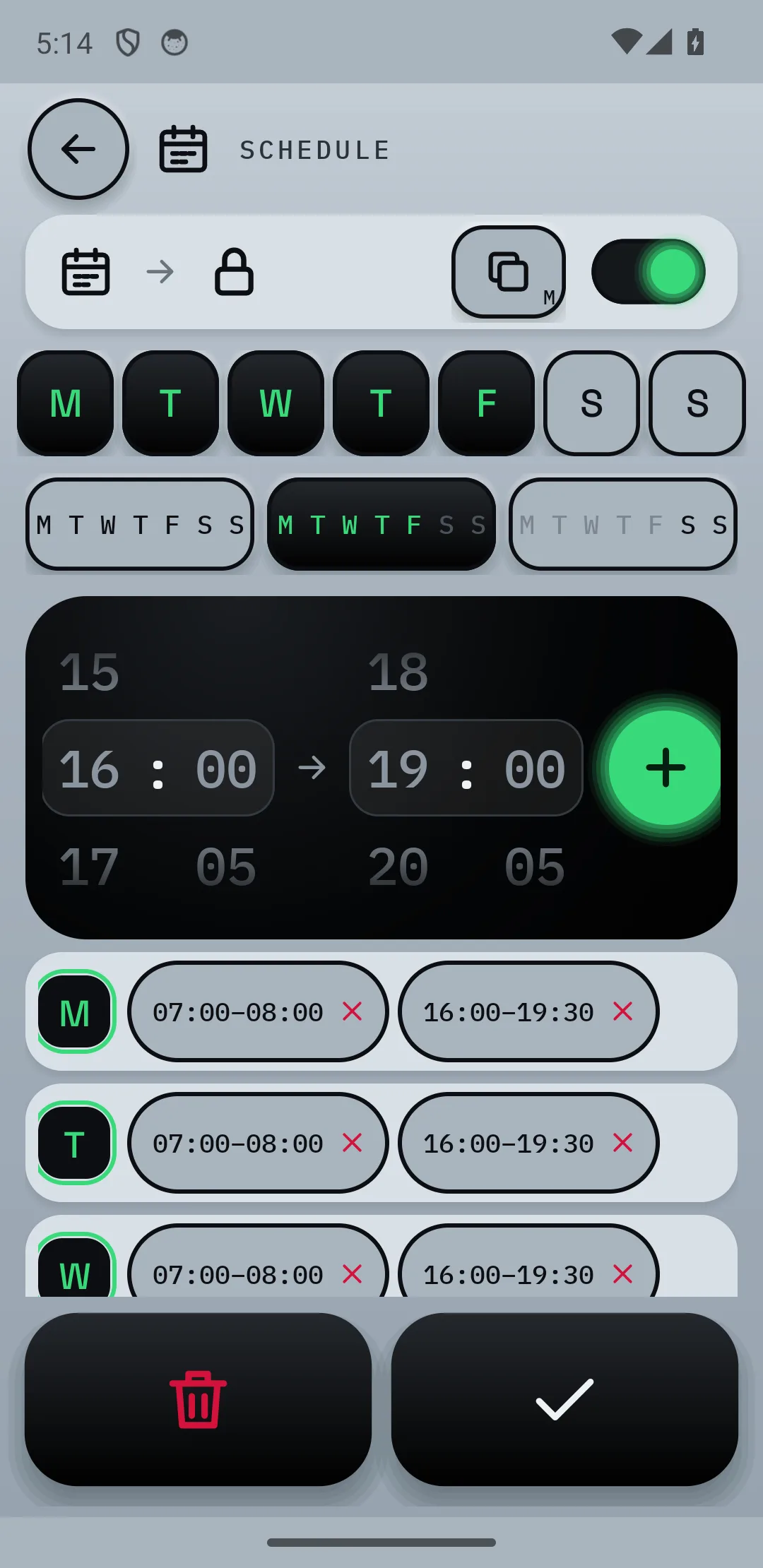
- Set a schedule for school nights and weekends, so the TV locks at bedtime on its own.
- With Pro, the lock returns after switch-on, so a press of the power button does not undo bedtime.
- Send a message such as "Five minutes left", so the cut-off is not a surprise.
- Lock the TV straight away from your phone when you need to.
- See what is on without going upstairs.
It only works with LG webOS TVs, and your phone and TV must be on the same home Wi-Fi (not when you are out, yet). It cannot control a console itself, only the TV's HDMI input, which you can set to ask first or block. It cannot stop phones, tablets or laptops. Plans: Free; Pro is £9.99 once; Plus is £2.99 a month or £24.99 a year, with 7 days of Plus free. See pricing.
Common questions
Does a smart plug work to turn off the TV at bedtime?
It can, as long as your child does not switch it back on. It cuts power with no warning and only affects the TV on that plug. It suits some families and frustrates others.
Is turning off the Wi-Fi at night a good idea?
It is the fix many parents use, and it covers every device on the network. But live TV and offline games still work, hotspots get round it, and it cuts you off as well. Most parents use it alongside another control.
Will a TV sleep timer stop my child watching at night?
Only if they fall asleep. A sleep timer turns the TV off, but an awake child simply switches it on again.
What is the best way to stop a child watching TV at bedtime?
No single method is best. Agree the rule with your child, then add one automatic control and keep an eye on the gaps. Our guide to stopping kids watching TV at night compares them.
Sources
- Reviewed: a smart plug and parenting
- Mumsnet: night-time gaming causing problems
- ConsumerAffairs survey on screen-time conflict
- Talker Research on parents giving in
- LG Family Settings help page
- LG Family Care on webOS 22
- Irish Times on the RCPCH advice
- Bitdefender on how children get round parental controls