

To stop your child watching TV at night, combine an agreed bedtime rule with something that enforces it without you having to stand in the doorway. A rule on its own tends to wobble. A timer on its own is easy to undo. Two or three layers together work much better than any single fix.
If you have ever caught your child turning the TV back on after lights out, you are in good company. Parents on forums such as Mumsnet describe teens gaming until 3am or later, and rows at switch-off time that never seem to end. This guide compares the usual options fairly, and says where each one lets you down.
Why night-time viewing is worth sorting out
Nobody needs to panic about the odd late night. But the research points the same way. The Royal College of Paediatrics and Child Health (RCPCH) advises no screens for an hour before bed. A study in the journal Pediatrics of 2,048 children aged 9 to 13 linked a TV in the bedroom to about 18 fewer minutes of sleep a night. That is a link, not proof of cause.
The RCPCH is clear that the main harm is not the screen itself. It is what the screen pushes out: sleep, exercise and family time. So a good bedtime rule is mostly about protecting sleep, not about punishing TV.
Start with the rule, not the gadget
Child psychiatrists quoted by Mayo Clinic, Stanford and others give the same advice. Agree the limits with your child, write them down, then keep to them consistently. Treat screen time as something that depends on family expectations being met.
A few things make the rule easier to keep:
- Pick one clear cut-off time for school nights and another for weekends.
- Include a wind-down hour with no screens before sleep, in line with the RCPCH advice.
- Ask why they watch late. Sometimes it is boredom. Sometimes it is worry, loneliness or school stress.
- Warn before the cut-off, so it never feels like a surprise.
The weak spot is obvious. A rule depends on you being awake and available to enforce it. Surveys suggest parents give in about 65% of the time when a child resists switching off (Talker Research, 2,000 parents). That is human, not a failing. It is the reason to add something that does not get tired.
The options, and where each one fails
| Option | What it does | Where it falls short |
|---|---|---|
| Talk and agree rules | Builds buy-in and teaches self-control | Needs you to enforce it every night |
| TV sleep timer | Switches the TV off after a set time | Child switches it straight back on |
| LG Family Settings | Sets a viewing time window on the TV | Set up on the TV; password needed outside the window; newer TVs only |
| Smart plug | Cuts the power at a set time | Blunt; no warning; the child can often just switch it on again |
| Wi-Fi off | Stops streaming apps working | Does not stop live TV, a console or anything offline |
| Taking the remote | Simple and cheap | Phone remote apps, a spare remote or the TV's own buttons |
| A schedule with a lock that returns | Locks at bedtime and re-locks if switched on | Needs the phone app; LG TVs on home Wi-Fi only |
TV sleep timers
Most TVs have a sleep timer. It is useful for a child who falls asleep in front of the telly, because the TV turns itself off. It does not stop a child who is awake. They press the power button and carry on.
LG's own Family Settings
Newer LG TVs (webOS 22 and later) have Family Settings. According to LG's help pages you can set a viewing time window, with a password needed outside it. You can also set a volume limit and see a daily and weekly usage report by app. It is set up on the TV itself, which makes it a fair first step. See our comparison of LG Family Settings and TV Parent for the detail.
Smart plugs and Wi-Fi off
These are the classic home-made hacks. One parent in a published write-up said a scheduled plug made bedtime "generally drama-free". Both work for some families. Both are also blunt tools. We cover them properly in smart plugs, Wi-Fi off and sleep timers: the parent hacks.
Taking the remote
It works until it does not. Children can use a phone remote app, find a spare remote, or use the buttons on the TV. Parents also report that children watch where the PIN is typed. Layering matters here, because any single control gets beaten.
What makes a bedtime lock hold
Three things tend to decide whether a bedtime control survives the first week.
- It happens on its own. If you have to remember, it will not happen every night.
- It is hard to undo from the bed. A switch that can be flipped back by pressing the power button is a suggestion, not a limit.
- It does not make you the villain. If the phone does the locking, the row is with a schedule rather than with you.
Be honest about the gaps too. Whatever you use on the TV does not stop a phone, tablet or laptop. A TV control also cannot stop a games console itself, only the TV's HDMI input it is shown on.
How TV Parent helps
TV Parent is an Android app for LG smart TVs. It is coming soon to Google Play.
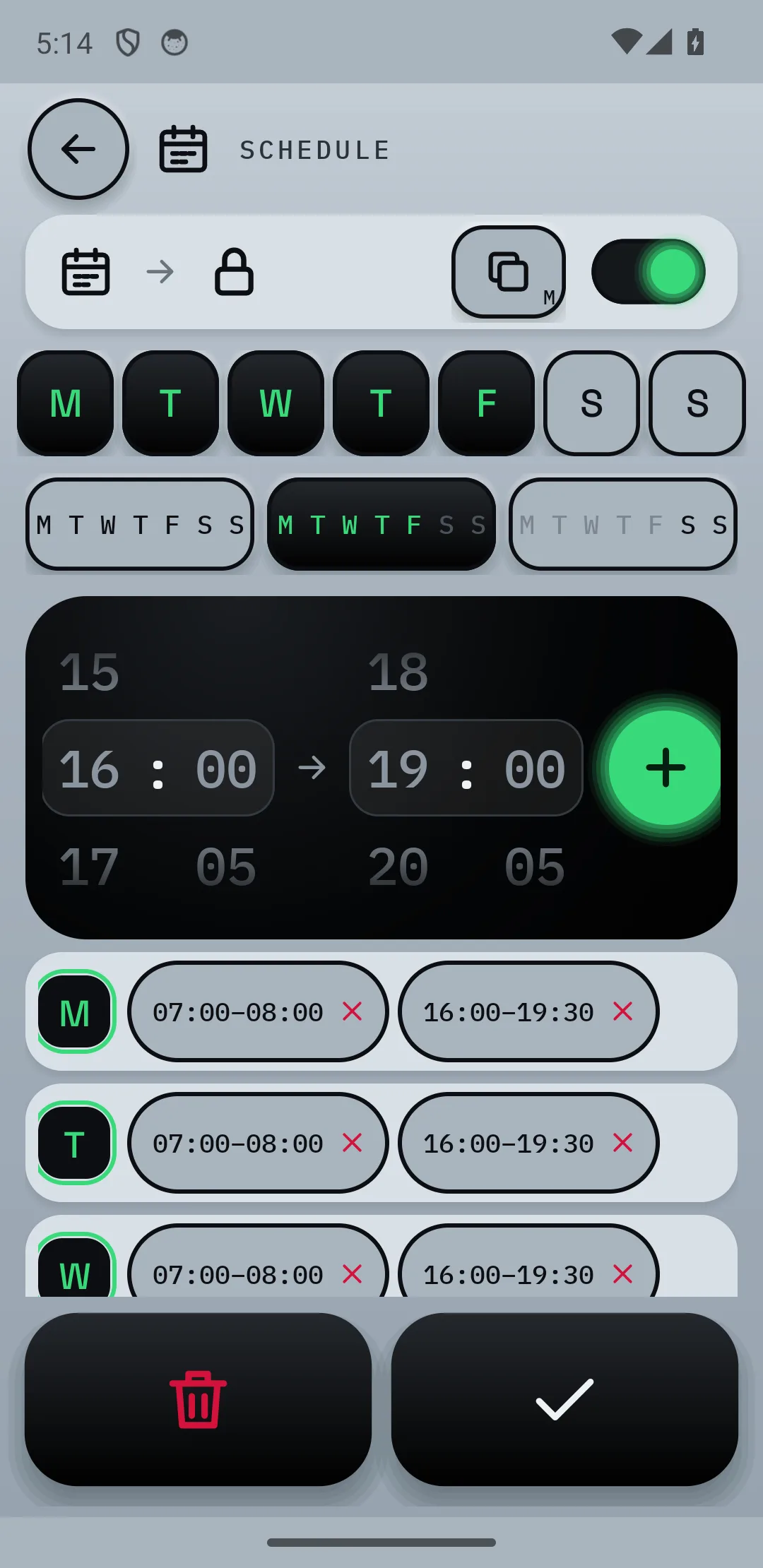
- Set a schedule with school-night and weekend times, so bedtime happens on its own.
- Lock the TV from your phone with a full-screen message and a PIN.
- With Pro, the lock returns after switch-on, so pressing the power button does not undo bedtime.
- Send a short message such as "Five minutes left" before the cut-off.
- See what is on from your phone, without going upstairs.
Limits to know about: it only works with LG webOS TVs, your phone and the TV must be on the same home Wi-Fi, and it cannot stop phones, tablets or laptops. It controls a console only through the TV's HDMI input, set to ask first or blocked. Pricing is Free; Pro is £9.99 once; Plus is £2.99 a month or £24.99 a year, with 7 days of Plus free. See pricing.
Common questions
How do I stop my child watching TV at night?
Agree a bedtime together, then back it up with something that enforces it automatically, such as a TV timer, a time window or a schedule with a lock. One layer is rarely enough, so combine two.
Why does my kid turn the TV back on after bedtime?
Because nothing stops them. A sleep timer or a plug cut-off can be reversed by pressing the power button. A control that locks again after switch-on is harder to undo, and Pro in TV Parent includes one.
Is it OK to let my teenager stay up gaming?
It is a family decision, and views differ. Child psychiatrists quoted by Mayo Clinic and Stanford suggest stopping gaming one to two hours before bed and agreeing limits with the teen, rather than imposing them. If late gaming is clearly hurting sleep, mood or school, they suggest getting professional help.
Should the TV be in the bedroom at all?
Many health bodies advise keeping screens out of bedrooms where you can. If it is staying, a bedtime lock and clear rules help. Our guide on whether your child should have a TV in their bedroom goes through it.
Sources
- Royal College of Paediatrics and Child Health advice, as reported by the Irish Times
- PsyPost on the Pediatrics study of bedroom TVs and sleep
- Mayo Clinic on managing teen gaming
- Stanford Medicine on teen video game addiction
- LG Family Settings help page
- Talker Research on parents giving in over screen time
- Reviewed on a smart plug and bedtime
- Mumsnet: night-time gaming causing problems